What Is Home Assistant? A Beginner's Guide for 2026
By Ethan Halfhide · Updated
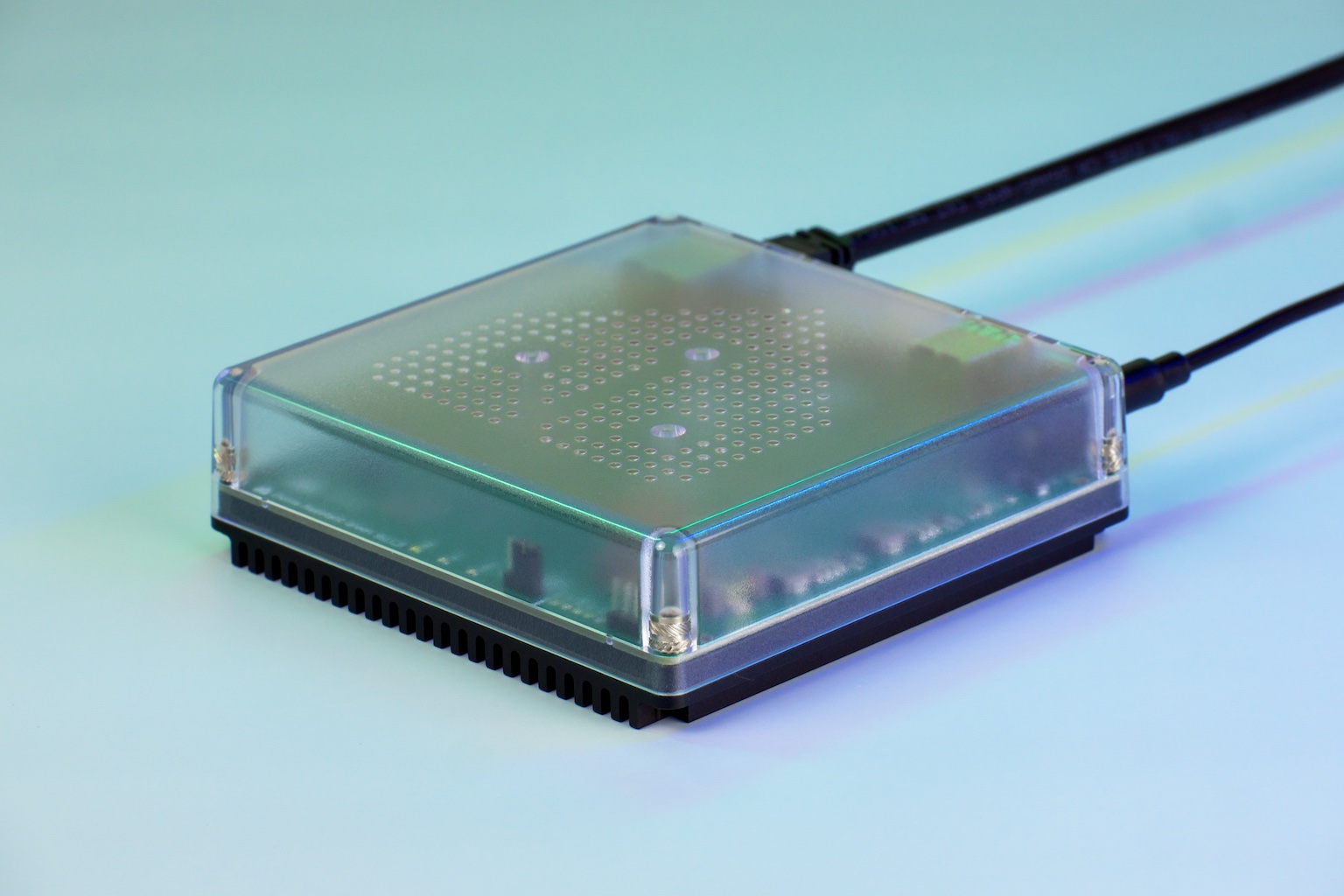 Home Assistant Green
Product images: Home Assistant Green
Home Assistant is free, open source home automation software that runs on a small computer in your home. It connects smart devices from different brands, lets you control them from one app, and runs automations locally, so most of your smart home keeps working without the internet or a company's cloud.
The project describes itself as "open source home automation that puts local control and privacy first." It is one of the projects governed by the Open Home Foundation, which says it fights for "privacy, choice, and sustainability" in the smart home. Nabu Casa runs the optional paid subscription that helps fund the project.
What Home Assistant does
Instead of a separate app for each brand of light, lock, plug or thermostat, you add each brand once as an "integration" and then control everything from the same place.
Local control and privacy
Home Assistant runs on your own hardware, and the official site says it "keeps your data local, no need for a cloud." The official FAQ adds that because it runs in your home, it "can keep working when the internet is down," and that devices on local protocols such as Zigbee and Matter "do not need any internet connection at all." Some features, such as easy remote access through the paid cloud service, do need the internet.
Integrations
The Home Assistant website advertises more than 1,600 integrations. An integration is a connector for a brand, device type or online service.
Automations
The automation engine runs rules based on triggers and conditions. The official site gives examples such as turning on lights at sunset or sending an alert when a garage door is left open. Motion, door and temperature readings from smart home sensors are common triggers.
Dashboards
Dashboards are the screens you use to see and control your home. The official site says they are customizable and can be edited with drag and drop. You open them in a web browser, and Home Assistant also offers Companion apps for iOS and Android.
Voice with Assist
Assist is "the voice assistant built into Home Assistant." According to the official voice documentation, it "can run fully on your own hardware, so your voice commands stay private." Speech to text and text to speech can run locally or through the paid cloud service, which the docs call the simplest setup. Optional AI conversation agents such as OpenAI or Ollama can handle more open ended requests. The docs call Home Assistant Voice Preview Edition "our recommended voice assistant hardware."
Is Home Assistant free?
Yes. The official FAQ says: "Home Assistant is free and open source," and "no features are locked behind a paywall." There is no required subscription.
You pay for two things only if you want them:
- Hardware to run it on (unless you reuse a computer you already have).
- Home Assistant Cloud, an optional subscription from Nabu Casa.
As of November 2026, Nabu Casa lists the subscription at $6.50 USD per month or $65 USD per year (excluding tax), with a 31 day free trial and no card required. Its pricing page lists these benefits:
- Remote access to your system from outside your home
- Offsite backups
- Voice control through Amazon Alexa and Google Home
- Cloud speech to text and text to speech for Assist
- Better media streaming for cameras and audio
- Dedicated support
The Open Home Foundation says subscriptions to Home Assistant Cloud are its main source of funding.
One naming note: in an October 2, 2026 announcement, Home Assistant said Home Assistant Cloud will be renamed Home Assistant Link, with the change planned for the 2026.12 release in December 2026. The Nabu Casa pricing page says the change happens on December 2. The announcement does not mention a price change. If you see "Home Assistant Link" on the Nabu Casa site, it is the same service.
What hardware does Home Assistant run on?
Home Assistant needs an always-on device on your home network. The official installation page lists several options. For most of them it recommends Home Assistant Operating System (HA OS), which it calls "the recommended installation type," including for people who bring their own hardware.
Home Assistant Green
Home Assistant Green is the official plug-and-play box, and the installation page calls it "the quickest way to start." It ships with HA OS preinstalled, so you plug in power and Ethernet and open the setup page in a browser. The official FAQ calls Green "the recommended option for most people."
Official specs from the Green product page:
- Rockchip RK3566 quad-core processor at 1.8 GHz
- 4 GB of RAM and 32 GB of eMMC storage
- Gigabit Ethernet and two USB 2.0 ports
- About 1.7 W at idle and about 3 W under load
The recommended price is $199 USD (excluding tax) as of November 2026, and retailer prices vary. Green does not include a Zigbee or Thread radio. To add those, you plug in a Connect ZBT-2 adapter (covered below). The Green product page notes that Thread support through the ZBT-2 is still under development.
Home Assistant Yellow
Home Assistant Yellow was built around a Raspberry Pi Compute Module 4 and has a built-in radio module. The official page says Zigbee works out of the box, while Thread support is listed as coming soon. The official Yellow page now says it "is no longer in production, but continues to receive software updates," and lists it as out of stock. If you already own one, it is still supported. If you are buying today, look at Green or your own hardware instead.
Raspberry Pi
Home Assistant on a Raspberry Pi is one of the most searched setups. The official instructions for HA OS support the Raspberry Pi 4 or Raspberry Pi 5 with at least 2 GB of RAM, a microSD card of at least 32 GB (an A2 rated card is suggested for better performance), a power supply and an Ethernet connection. The installation page also lists a Raspberry Pi 3, 4 or 5 as an option for Home Assistant Container, which requires Docker knowledge.
Mini PC, old computer or virtual machine
You can also install HA OS on a generic x86-64 computer, such as a mini PC or a repurposed desktop, with a storage drive, a USB stick for installation and Ethernet. The installation page lists ODROID boards as "a more powerful alternative to Raspberry Pi." If you already run a server, HA OS can run as a virtual machine on Linux, Windows or macOS using virtualization software.
HA OS or Container?
The installation page describes two main installation types:
- Home Assistant OS is an "embedded, minimalistic operating system" that the page calls the most convenient option for installation and maintenance. It supports apps (add-ons).
- Home Assistant Container runs in Docker on a system you manage. You handle updates yourself, and Container installs do not have access to apps. Because Thread and Z-Wave depend on apps, the page says they have "no out-of-the-box support" on Container.
Hardware options at a glance
Prices are as of November 2026 and only shown where an official source lists one.
| Option | Install type | Built-in Zigbee/Thread radio | Key requirements (official) | Price (USD) |
|---|---|---|---|---|
| Home Assistant Green | HA OS preinstalled | No | Power, Ethernet | $199 MSRP |
| Home Assistant Yellow | HA OS | Zigbee yes, Thread listed as coming soon | Raspberry Pi CM4 (kits) | No longer in production |
| Raspberry Pi 4 or 5 | HA OS | No | 2 GB RAM or more, 32 GB or larger microSD, Ethernet | Not listed by Home Assistant |
| Raspberry Pi 3, 4 or 5 | Container (Docker) | No | microSD, Ethernet, Docker knowledge | Not listed by Home Assistant |
| Mini PC or other x86-64 PC | HA OS | No | Storage drive, USB stick, Ethernet | Not listed by Home Assistant |
| Virtual machine (Linux, Windows, macOS) | HA OS in a VM | No | Virtualization software | Not listed by Home Assistant |
Zigbee, Z-Wave, Thread and Matter support
Many smart home devices do not use Wi-Fi. They use low power mesh protocols that need a radio attached to your Home Assistant machine. Home Assistant offers two official USB adapters for this.
Home Assistant Connect ZBT-2 supports Zigbee 3.0 and Thread. Its recommended price is $49 USD as of November 2026, and it connects by USB-C. The product page is clear that it "cannot do both Zigbee and Thread simultaneously," so you choose one protocol per adapter. If you plan to use Zigbee smart home devices such as bulbs, plugs and sensors, this is the official way to add a Zigbee radio to Green, a Raspberry Pi or a mini PC.
Home Assistant Connect ZWA-2 is a Z-Wave adapter that supports Z-Wave and Z-Wave Long Range at the same time, on an 800 series chip. Its recommended price is $69 USD as of November 2026. It connects by USB-C, and Home Assistant can migrate most modern Z-Wave sticks to it automatically.
Matter works over Wi-Fi or Thread. Home Assistant's Matter documentation says Thread based Matter devices need a Thread border router near the device. The Matter server that Home Assistant uses is officially supported only on Home Assistant OS; for other installation types the docs say they are "without support and at your own risk." For background on how the standard works, see our explainer on the Matter smart home standard.
Who Home Assistant is for, and the trade-offs
Home Assistant fits you if:
- You own devices from several brands and want one app and one set of automations.
- You care about local control and want your smart home to keep working during an internet outage.
- You want to avoid a required monthly fee.
- You are comfortable with some setup and learning.
The trade-offs, based on the official documentation:
- You run the hub. Unlike a cloud app, you are responsible for the device, its updates and its backups. HA OS is the most convenient option for maintenance, but it is still your system.
- Remote access takes setup or a subscription. The simplest route is the paid cloud service.
- Some protocols need extra hardware. Zigbee, Thread and Z-Wave need a radio such as the ZBT-2 or ZWA-2, and the ZBT-2 handles only one of Zigbee or Thread at a time.
Home Assistant can also work alongside Amazon Alexa and Google Home, since voice control through those assistants is part of the cloud subscription. If you want to compare dedicated hub hardware, see our guide to the best smart home hubs.
How to get started
- Choose hardware. Home Assistant Green is the official recommendation for most people. A Raspberry Pi 4 or 5 with at least 2 GB of RAM, a mini PC or a virtual machine also work.
- Install Home Assistant OS. Green ships with it. For other hardware, follow the matching guide on the official installation page.
- Connect it to your network with Ethernet and power it on. The first start can show a "Preparing Home Assistant" page for 20 minutes or more.
- Open the web interface. On HA OS, go to http://homeassistant.local/ in a browser, or http://homeassistant.local:8123/ if that does not load.
- Create your owner account. Save the username and password somewhere safe, because the owner account cannot be recovered.
- Set your home location and choose whether to share usage data (sharing is off by default).
- Add discovered devices. Home Assistant shows compatible devices it found on your network. Add them, then build your first dashboard and automation.
FAQ
Is there a monthly fee for Home Assistant?
No. Home Assistant is free and open source, and the official FAQ says no features are locked behind a paywall. The only subscription is the optional Home Assistant Cloud service from Nabu Casa, listed at $6.50 USD per month or $65 USD per year as of November 2026. It adds remote access, offsite backups, Alexa and Google Home voice control and cloud voice processing.
Do I need a device to use Home Assistant?
Yes. Home Assistant is software that has to run on an always-on device in your home. That can be the official Home Assistant Green, a Raspberry Pi 4 or 5, a mini PC, an old computer or a virtual machine on a server you already run.
How much RAM is needed to run Home Assistant?
For Home Assistant OS on a Raspberry Pi, the official instructions say to use a Raspberry Pi 4 or 5 with at least 2 GB of RAM and a microSD card of at least 32 GB. Home Assistant Green, the official hardware, ships with 4 GB of RAM and 32 GB of storage.
Does Home Assistant work without the internet?
Yes, for local control. The official FAQ says Home Assistant runs on your own hardware and can keep working when the internet is down, and that local protocol devices such as Zigbee and Matter do not need an internet connection. Cloud based devices and features like remote access through the subscription do need the internet.
Does Home Assistant support Zigbee, Z-Wave and Matter?
Yes. Zigbee and Thread need a radio such as the Home Assistant Connect ZBT-2, which handles one of the two at a time. Z-Wave needs a Z-Wave adapter such as the Connect ZWA-2. Matter over Thread needs a Thread border router, and the Matter server is officially supported only on Home Assistant OS.
What we could not verify
- Raspberry Pi prices. Home Assistant does not list Raspberry Pi prices, and board prices change often, so we left them out.
- Exact integration count. The homepage shows both "1600+" integrations and "over a thousand different devices and services"; we used the 1,600+ figure.
- Non-US subscription prices. The Nabu Casa pricing page offers CAD, EUR and GBP, but we only confirmed the USD prices.
- Final details of the rename to Home Assistant Link. The rename was announced but had not taken effect at the time of writing.
How this guide was put together
HomeGearLab compared published information only. We read the official Home Assistant website, installation guides, FAQ, voice and Matter documentation, product pages for Green, Yellow, Connect ZBT-2 and Connect ZWA-2, the Nabu Casa pricing page and the Open Home Foundation site. We did not install or run Home Assistant for this article. Prices and specs are as listed by the official sources on November 18, 2026, and can change.
Sources
- Home Assistant homepage, accessed November 18, 2026
- Home Assistant FAQ, accessed November 18, 2026
- Home Assistant installation overview, accessed November 18, 2026
- Raspberry Pi installation guide, accessed November 18, 2026
- Home Assistant Green, accessed November 18, 2026
- Home Assistant Yellow, accessed November 18, 2026
- Home Assistant Connect ZBT-2, accessed November 18, 2026
- Home Assistant Connect ZWA-2, accessed November 18, 2026
- Voice control (Assist) documentation, accessed November 18, 2026
- Matter integration documentation, accessed November 18, 2026
- Onboarding guide, accessed November 18, 2026
- Nabu Casa pricing, accessed November 18, 2026
- Nabu Casa homepage, accessed November 18, 2026
- Rename announcement, "Big Tech ruined the cloud, so we're renaming ours" (October 2, 2026), accessed November 18, 2026
- Open Home Foundation, accessed November 18, 2026
About the author
Ethan Halfhide: Ethan Halfhide is a smart home enthusiast and AI technologist who follows the connected home market closely, from smart locks and security cameras to robot vacuums, lighting, sensors and hubs. He curates HomeGearLab's device directory, comparing products on published specs, compatibility, setup requirements and price so readers can pick gear that fits their home and works together.
Related posts
Zigbee vs Z-Wave: Frequencies, Range, Hubs and Matter (2026)
Zigbee vs Z-Wave compared from official specs: 2.4 GHz vs sub-GHz, mesh limits, Long Range, hub support and where Thread and Matter fit. Pick by use case.
Smart Home Automation Devices: The 2026 Room-by-Room Buying Guide
A practical 2026 guide to choosing smart home automation devices room by room, covering Matter and Thread basics plus the buying mistakes you should avoid.